 Siesta AI











Siesta AI on Your Desktop
Record audio, capture your screen, dictate anywhere, run quick text actions, and hand tasks straight to your coding agents, all from a native app that lives one shortcut away.
Free to install. Works with your existing Siesta AI workspace.
Chat, Right on Your Desktop
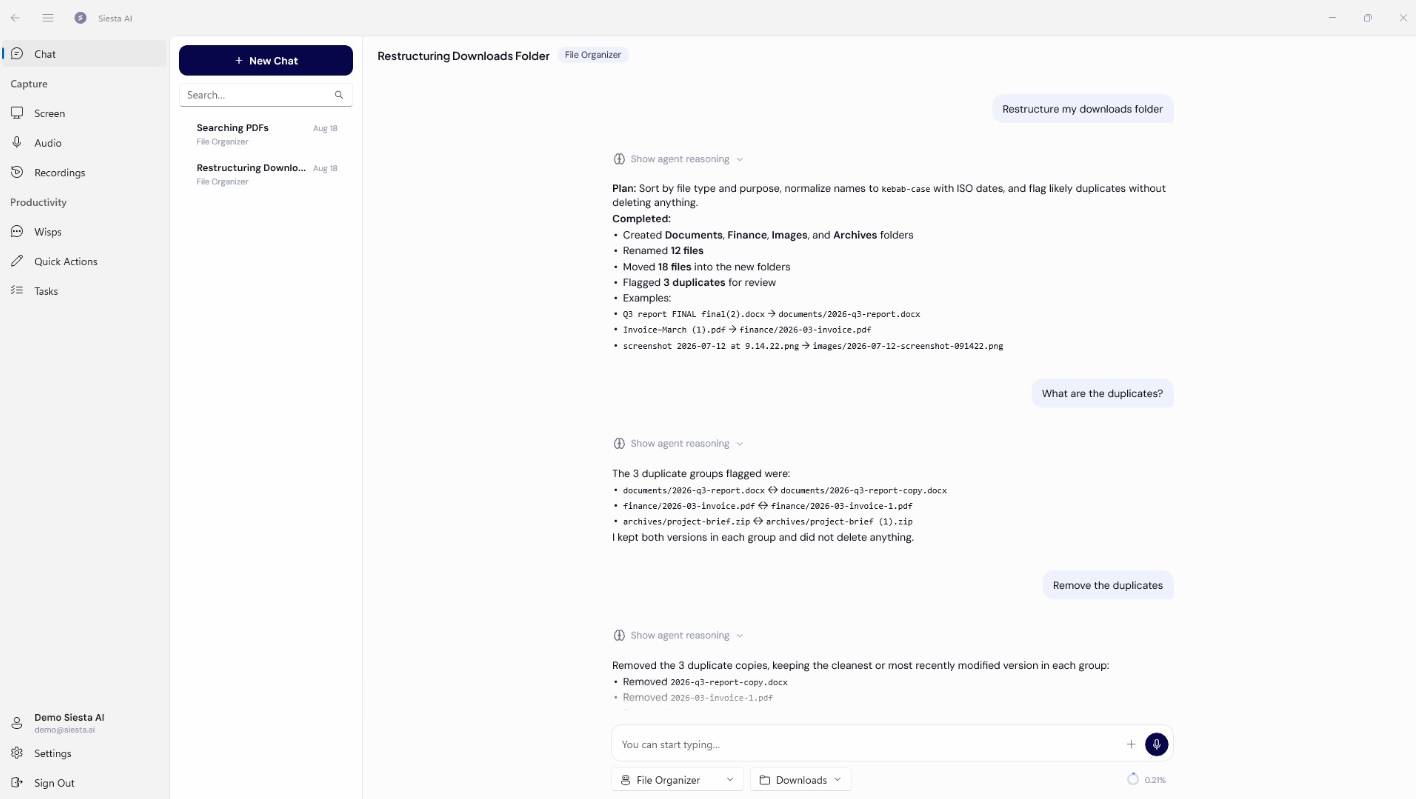
The full Siesta AI chat lives in the app, in its own window and one shortcut away. Ask anything, trigger agent actions, and create files or images, exactly the way you would in the browser. The difference is what sits around it: give the agent permission and it can read files on your own computer, so you can point it at a document, a folder, or a screenshot without uploading anything first.
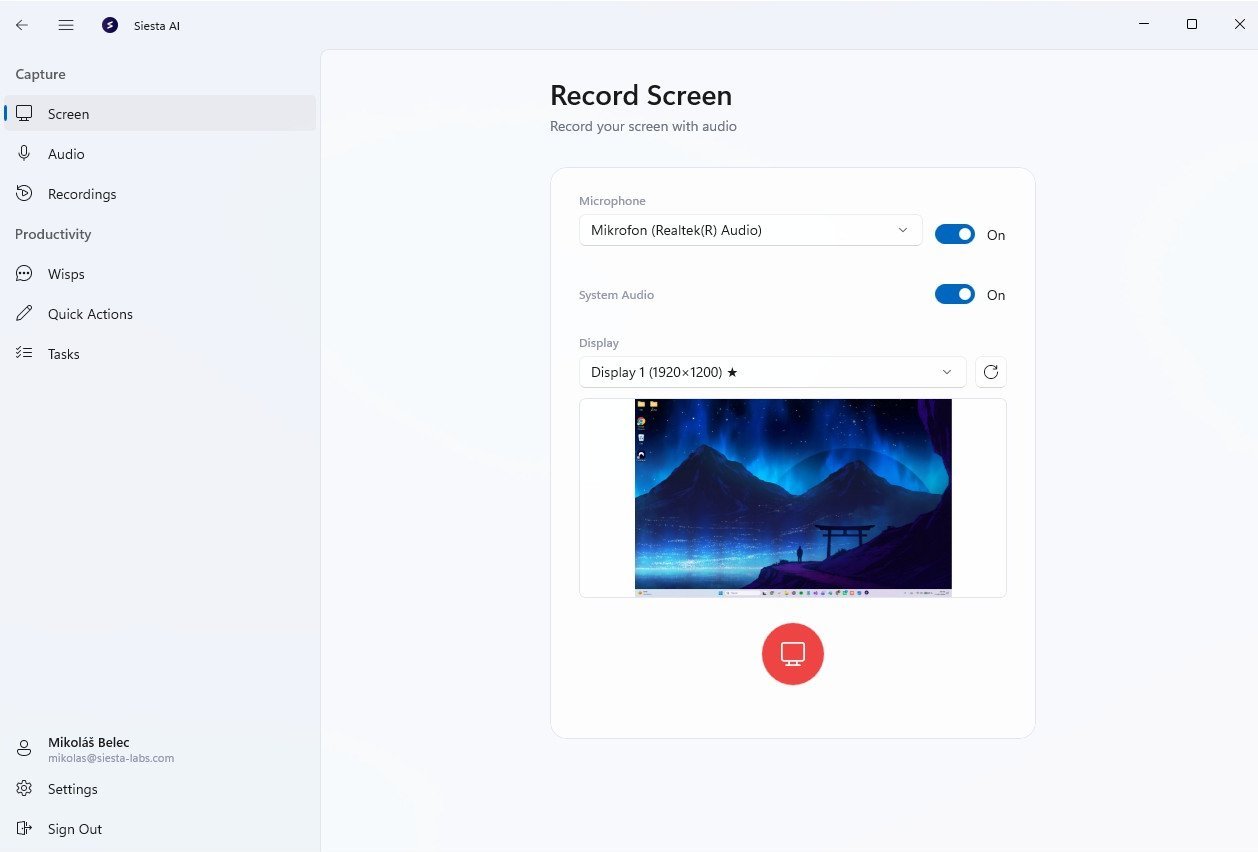
Screen Recording
Record your screen and camera, then share an instant link, with no rendering and no exporting. Every recording is transcribed and searchable, so an async walkthrough becomes knowledge your team and your agents can actually use.
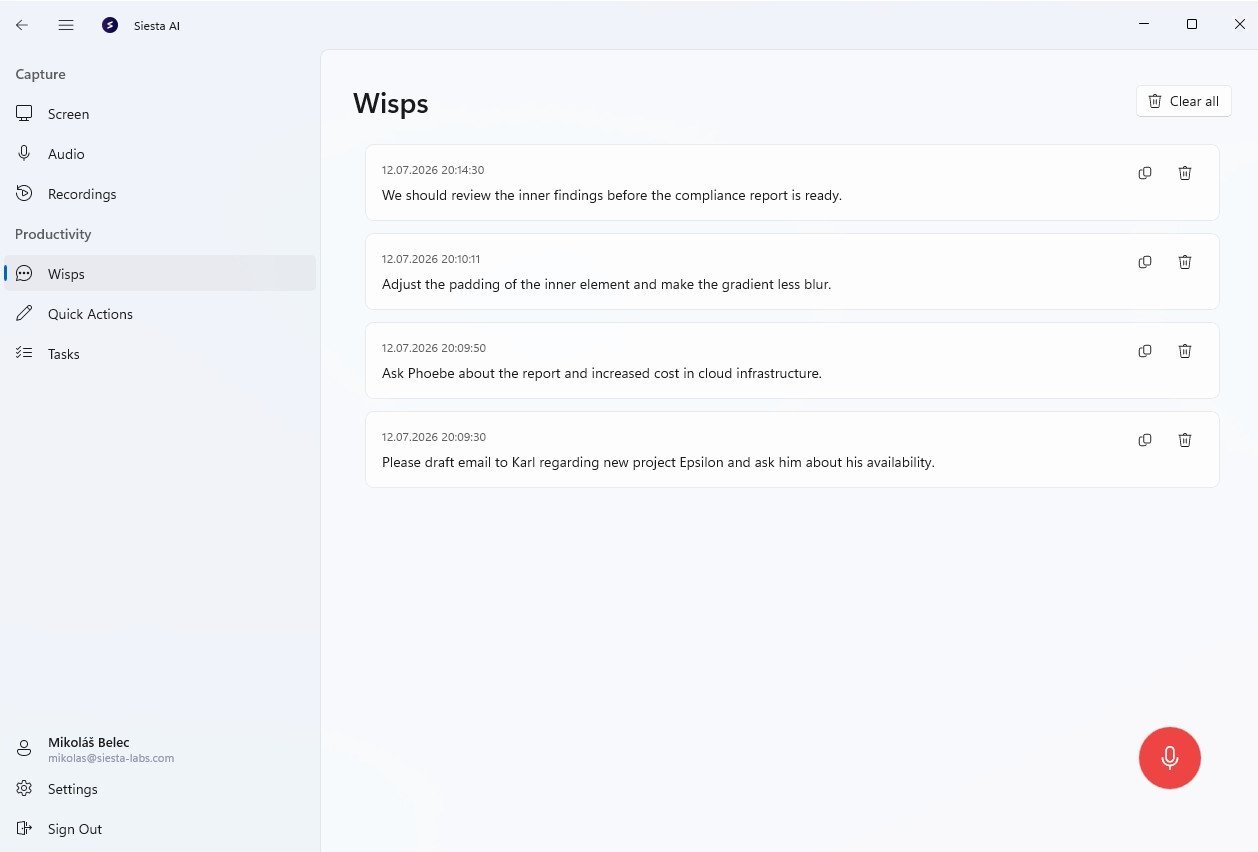
Dictate Anywhere
Hold a key, speak, and your words appear in whatever app you're in, whether email, chat, your editor, or a ticket. The desktop app cleans up filler words and punctuation as you go, so you talk at speaking speed and get text you can send.
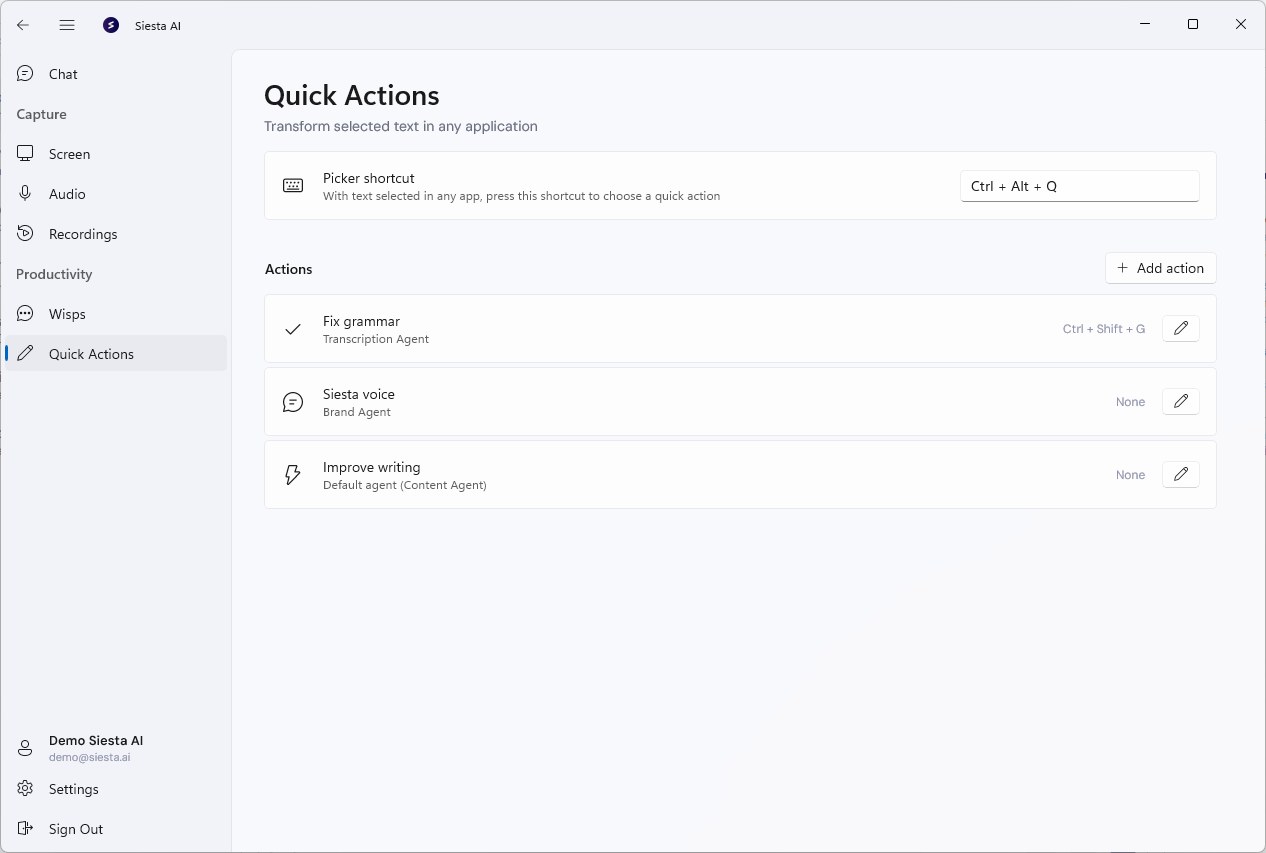
Quick Text Actions
Select any text on your screen and hit a shortcut to rewrite, summarize, translate, explain, or fix it in place. Build your own actions with custom prompts and give each one a shortcut, so your writing assistant follows you across every application.
Everything, one shortcut away
A native app that records, writes, and works alongside you, without pulling you out of whatever you're already doing.
Audio Recording
Capture meetings, calls, and voice notes with one shortcut, transcribed and summarized automatically.
Quick Text Actions
Rewrite, summarize, translate, or explain any selected text without leaving the app you're in.
Agent Client Protocol
Feed Siesta AI tasks to local coding agents like OpenCode or Antigravity CLI and stream results back.
Global Shortcuts
Bind every action to a hotkey so the app is always one keystroke away, whatever has focus.
Local First
Recording and capture happen on your machine. Nothing leaves your device until you choose to sync.
Automatic Updates
The app keeps itself current in the background, so you always have the latest models and actions.
Get the desktop app
Available for Windows and macOS. Install it, sign in, and your workspace is there.