 Siesta AI











Siesta AI in deinem Browser
Chatte mit jeder Seite, erfasse, was du gerade liest, und starte deine Agenten, ohne den Tab zu verlassen. Eine leichtgewichtige Erweiterung, die Siesta AI überall im Web nur einen Klick entfernt hält.
Kostenlose Installation. Funktioniert mit deinem bestehenden Siesta AI Arbeitsbereich.
Chatte mit jeder Seite
Öffne das Seitenpanel und stelle Fragen zu allem, was du gerade liest: ein Report, eine Doku-Seite, ein langer Thread. Die Erweiterung zieht den Seitenkontext automatisch heran, sodass du zusammenfassen, vergleichen und tiefer einsteigen kannst, ohne zu kopieren.
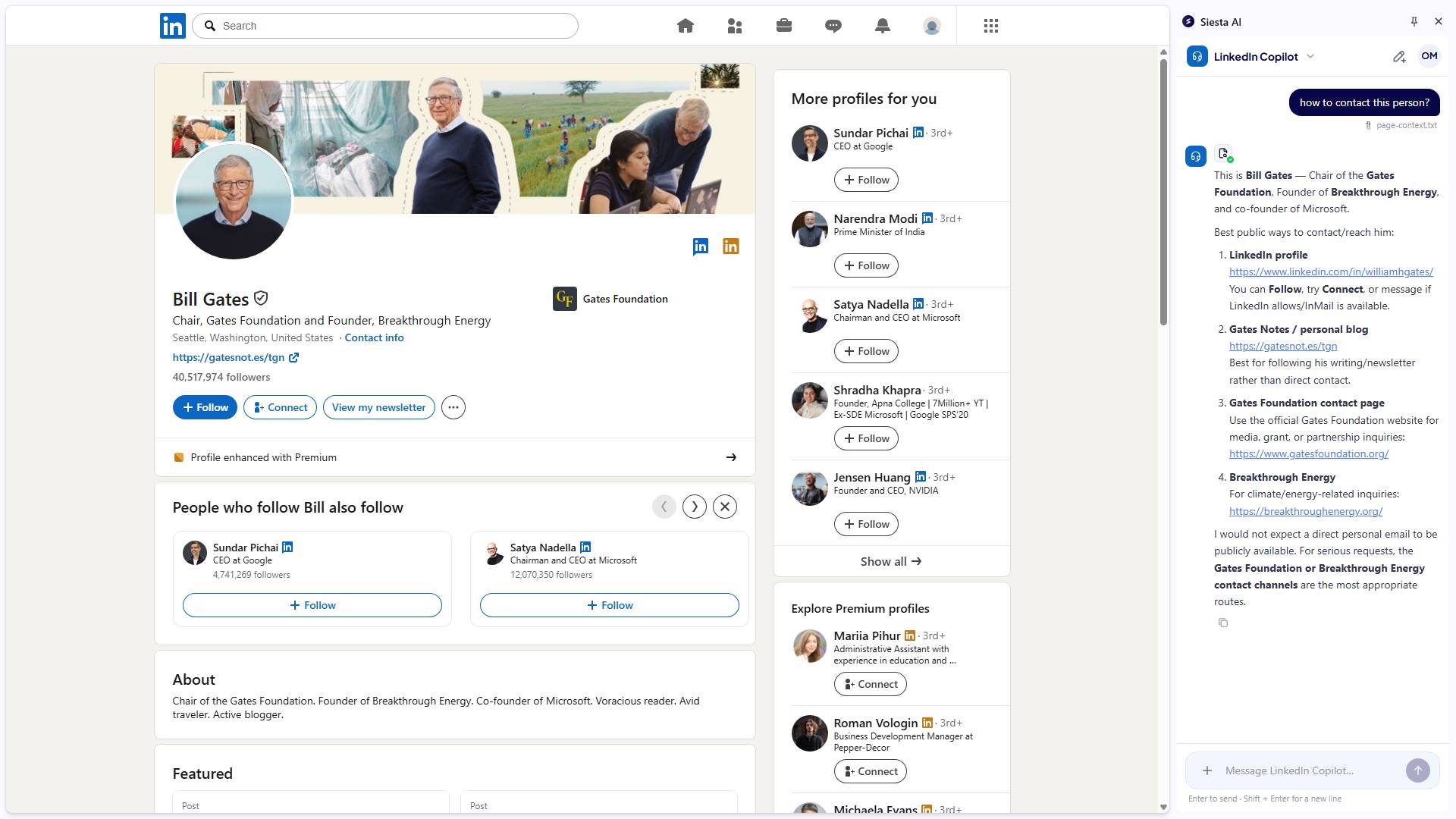
Siesta AI, ein Klick in jedem Tab
Eine leichtgewichtige Erweiterung, die liest, schreibt und mit dir arbeitet, wohin dich das Web auch führt.
Chatte mit jeder Seite
Öffne das Seitenpanel und stelle Fragen zu allem, was du gerade liest, mit eingebautem Seitenkontext.
Eigene Browser-Aktionen
Baue eigene Aktionen für bestimmte URLs oder Domains, zugeschnitten auf die Seiten, mit denen dein Team täglich arbeitet.
Direkt umschreiben
Markiere Text in einem beliebigen Feld und schreibe ihn um, übersetze ihn oder entwirf eine Antwort genau dort, wo du bist.
Arbeitsbereich durchsuchen
Finde Dokumente, Aufgaben und frühere Chats aus deinem Siesta AI Arbeitsbereich, ohne den Tab zu wechseln.
Tastenkürzel
Öffne das Panel, clippe oder führe eine Aktion per Hotkey aus, sodass dir die Erweiterung nie im Weg steht.
Standardmäßig privat
Die Erweiterung liest eine Seite nur, wenn du sie darum bittest. Im Hintergrund wird nichts erfasst.
Hol dir die Browser-Erweiterung
Verfügbar für Chrome. Installieren, anmelden, und dein Arbeitsbereich ist nur einen Klick entfernt.